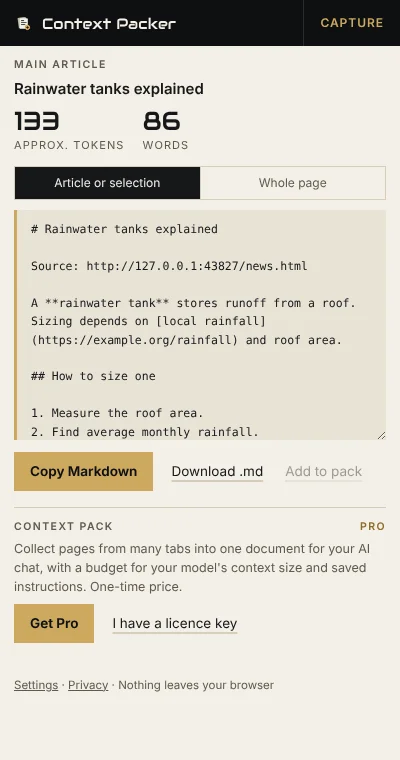
Copying a web page into an AI chat drags along menus, cookie banners, share buttons and footers, and tables arrive as a jumble. Context Packer keeps the article itself, as tidy Markdown with headings, lists, links, code blocks and tables, and tells you roughly how many tokens it will use.
How it works
- Click the toolbar icon, or right-click and choose Copy page as Markdown or Copy selection as Markdown.
- Check the preview in the side panel: the main article, your selection, or the whole page.
- Copy, or download a
.mdfile, and paste it into the AI tool you use.
What it keeps and what it drops
- Keeps headings, paragraphs, bold and italic, lists (nested and numbered), links, code blocks with their language, quotes and tables.
- Drops navigation, sidebars, cookie and newsletter banners, share buttons, comment sections, footers, hidden text, edit links and citation marks.
- Optional title and source line, or YAML front matter with title, source, author and dates.
Free and Pro
| Free | Pro (one-time) | |
|---|---|---|
| Copy page, article or selection as Markdown | Yes | Yes |
| Token estimate, preview and .md download | Yes | Yes |
| Context pack: collect pages from many tabs into one document | Yes | |
| Token budget meter for your model's context size, with trimming | Yes | |
| Saved instructions at the top of a pack (summarise, compare, answer from sources) | Yes |
Private by design
It reads a page only when you click it, converts it inside your browser, and sends it nowhere: the Markdown only goes to your clipboard or a file you download. No analytics, no tracking. See the privacy policy.
Help
Email hello@maveleaf.com.