
Maveleaf / Folio / Spreadsheet (Excel and Google Sheets)
Gig and Music Income Tracker 2027
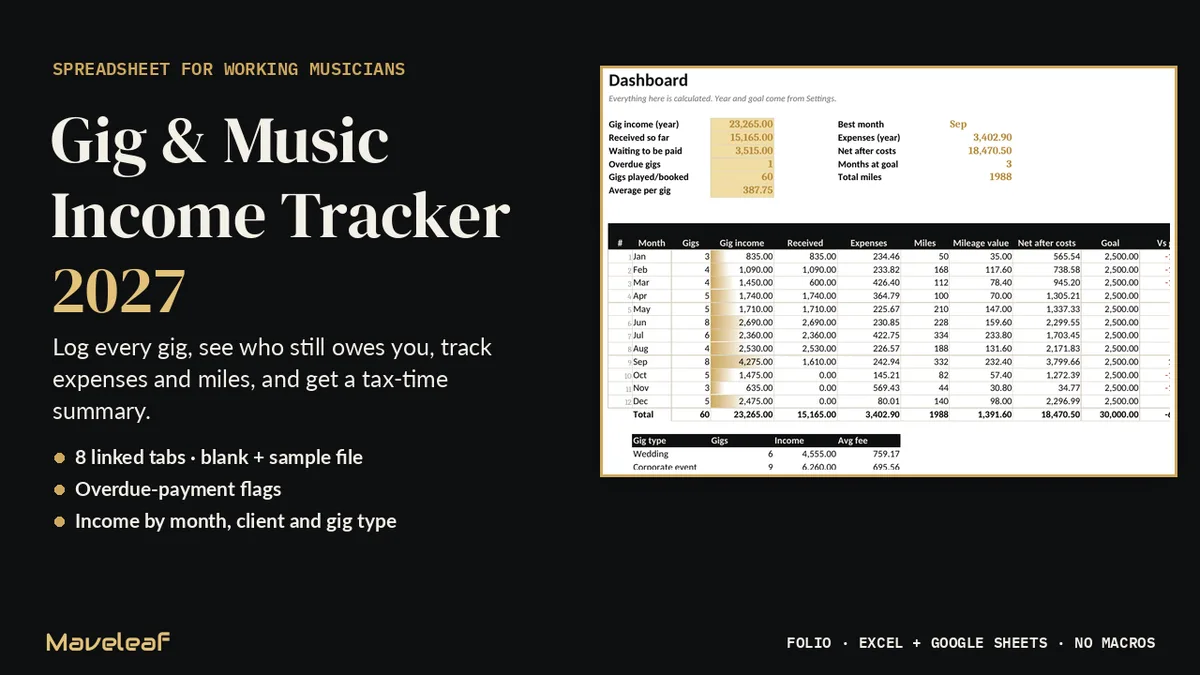
Music income arrives in a dozen ways and at a dozen times: weddings, bar gigs, sub calls, sessions, lessons. This workbook keeps it all in one place, so you always know what you earned, what has reached your account, and which client is late.
An organiser, not tax advice.
What's inside
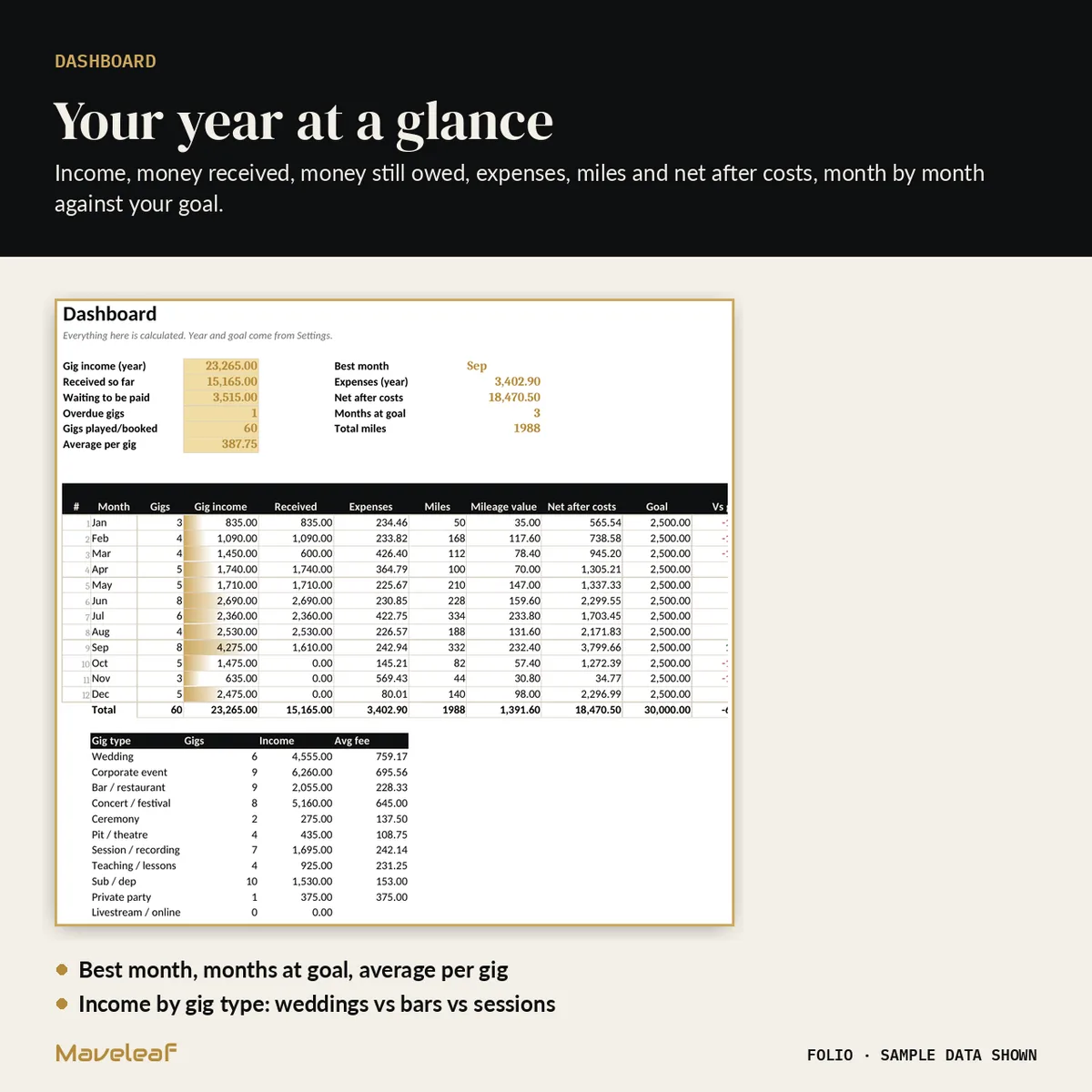
- Eight linked tabs: Start Here, Dashboard, Gigs, Expenses, Mileage, Clients, Year Summary and Settings
- Two files: a BLANK copy and a SAMPLE copy with a full year of example gigs, expenses and trips
- A one-page Quick Start Guide (PDF), README and licence
- Room for 500 gigs, 1,000 expenses, 300 extra trips and 150 clients
- Editable dropdowns for gig type, payment method, expense category and client type
Who it's for
Freelance and working musicians, bands and music teachers who want to stop chasing payments from memory.
How it works
- Open in Excel, or upload to Google Drive and save as a Google Sheet.
- Set your payment terms (for example 14 or 30 days) and monthly income goal once on Settings.
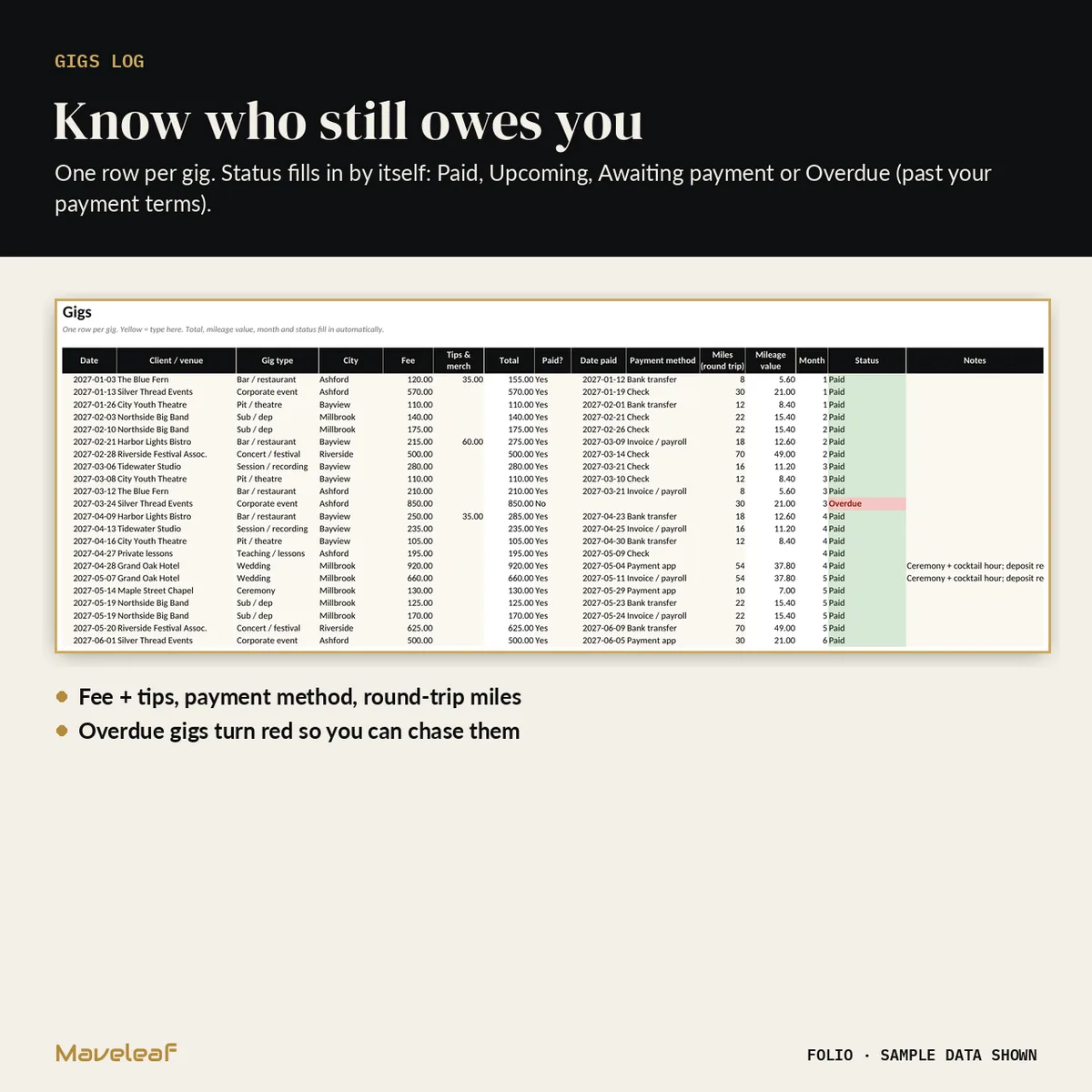
- Add one row per gig. Status fills in by itself: Paid, Upcoming, Awaiting payment or Overdue, with overdue gigs shown in red.
Questions
Does it work in Google Sheets?
Yes, and in Excel. No macros, add-ons or subscription.
Does it calculate my tax?
No. It is an organiser that collects income, expenses and miles in one summary for you or your accountant. It is not tax advice and does not set a mileage rate.
Can I change the gig types and expense categories?
Yes. Every dropdown is editable on the Settings tab, up to 20 items each.
Can I see it working first?
Yes. The SAMPLE file has a full year of example data.