
Maveleaf / Folio / Spreadsheet (Excel and Google Sheets)
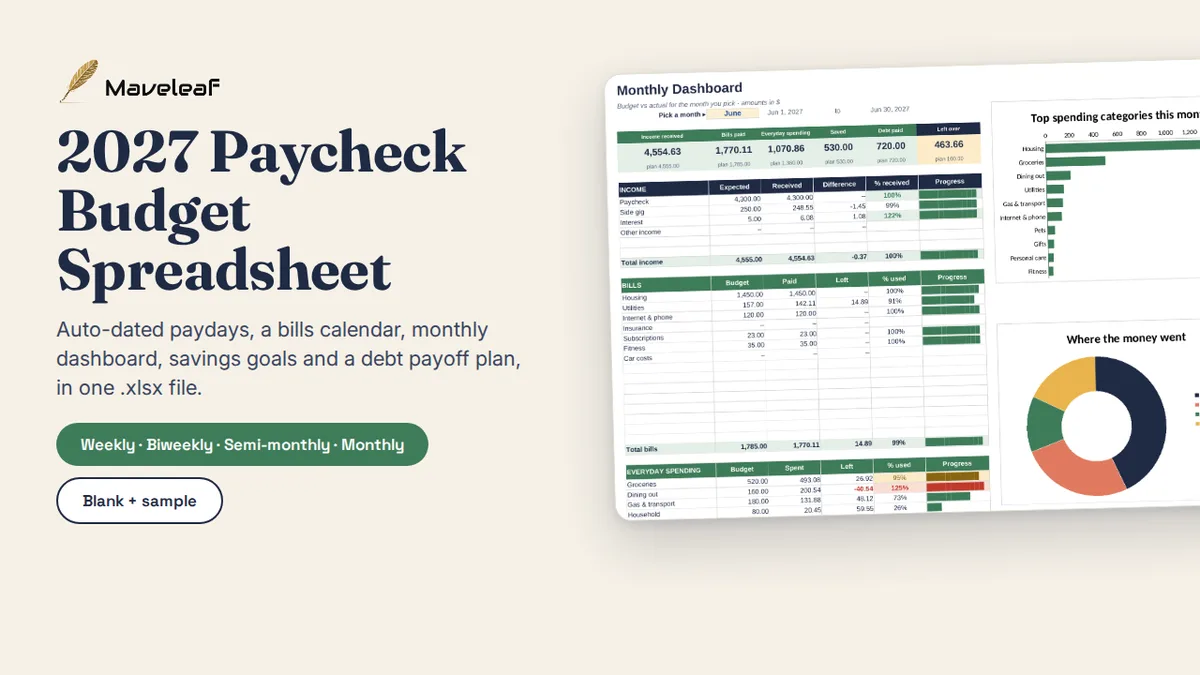
2027 Paycheck Budget Spreadsheet
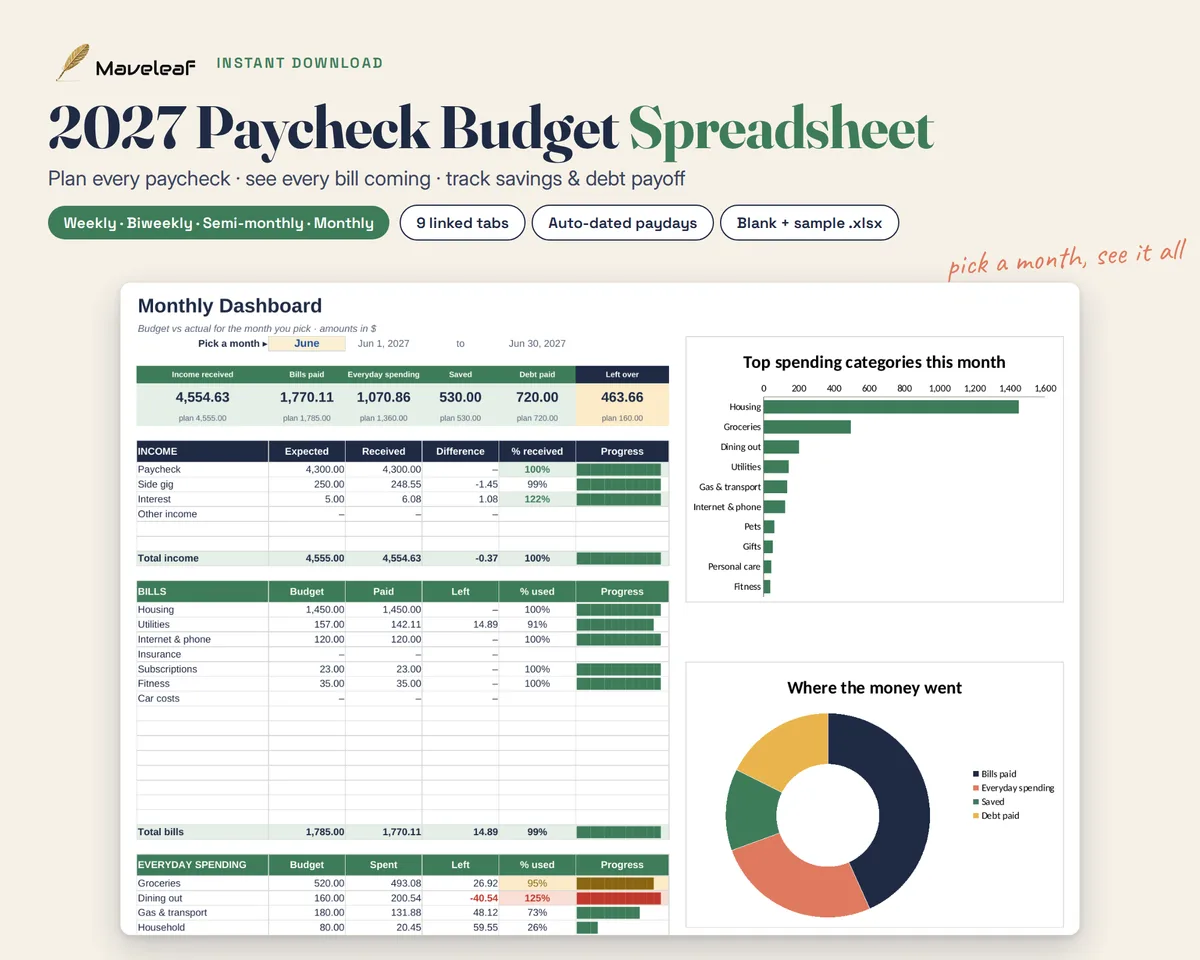
Most budgets are monthly, but pay arrives every week or every two weeks. This workbook plans each paycheck as it comes: which bills it covers, what goes to savings, and what is left to spend.
Get it for $12Instant download · price adjusts for your country
An organiser, not financial advice.
What's inside
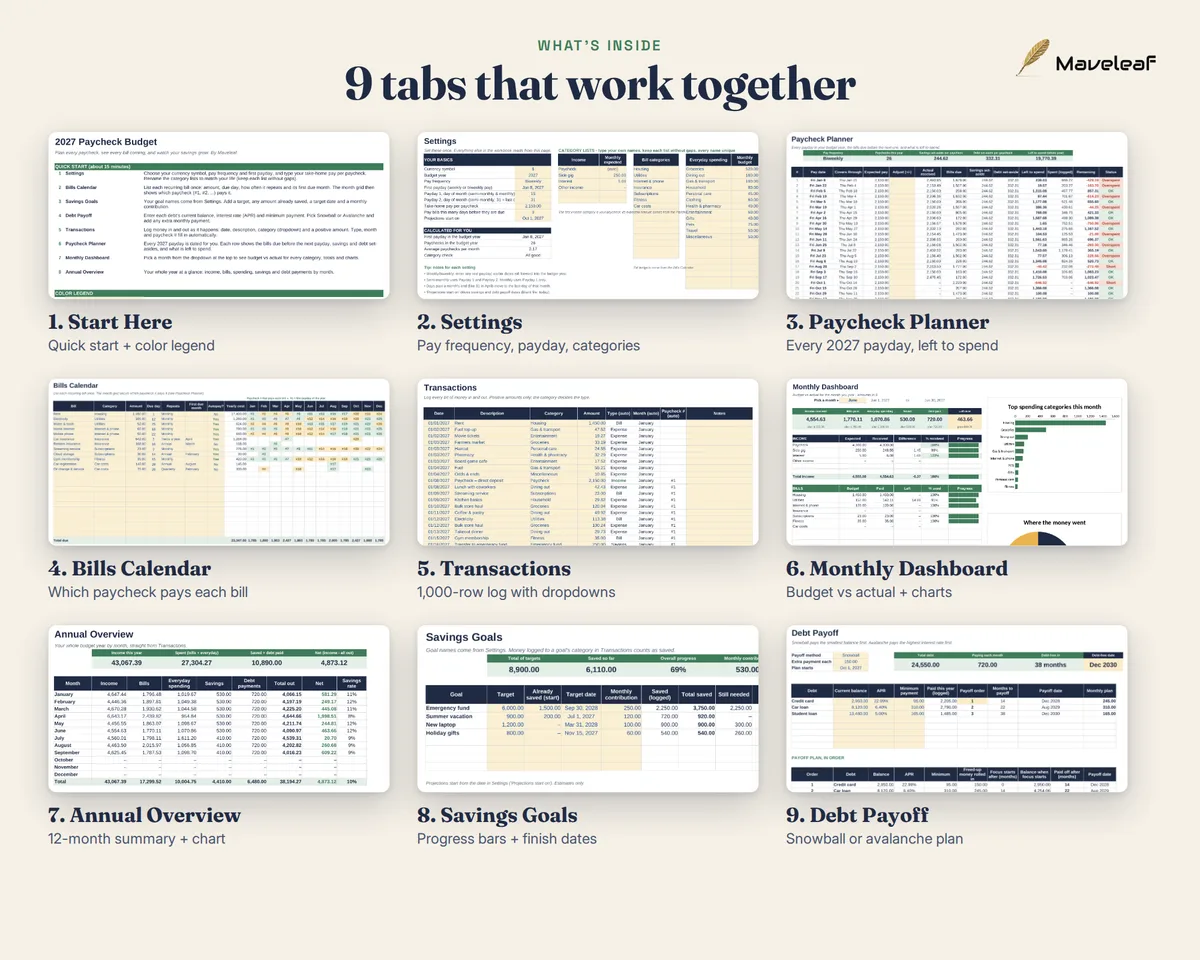
- Nine linked tabs: Start Here, Settings, Paycheck Planner, Bills Calendar, Transactions, Monthly Dashboard, Annual Overview, Savings Goals and Debt Payoff
- Two files: a BLANK copy to fill in and a SAMPLE copy with example data
- A one-page how-to guide (PDF) and a README
- Works for weekly, biweekly, semi-monthly or monthly pay
Who it's for
People paid weekly or every two weeks who want to know, paycheck by paycheck, that the bills are covered before they spend.
How it works
- Open the .xlsx file in Excel, or upload it to Google Drive and save it as a Google Sheet.
- Fill in Settings, then the Bills Calendar, Savings Goals and Debt Payoff tabs.
- Log money in Transactions. The Paycheck Planner, Monthly Dashboard and Annual Overview update by themselves.
Questions
Do I need Excel?
No. It works in Excel or free in Google Sheets. No macros, add-ons or internet connection are needed.
Is it a subscription?
No. You pay once and keep the files.
Can I try it with example numbers first?
Yes. The SAMPLE file is filled in so you can see every tab working before you start your own.
Is this financial advice?
No. It is an organiser. Payoff and savings dates are estimates for planning only.